cd ../work
Our own platform

Fullgrain Portal

The system our hosted clients run on. They edit their own site, read form messages, take bookings, and run a store from one dashboard, without calling us for every change.
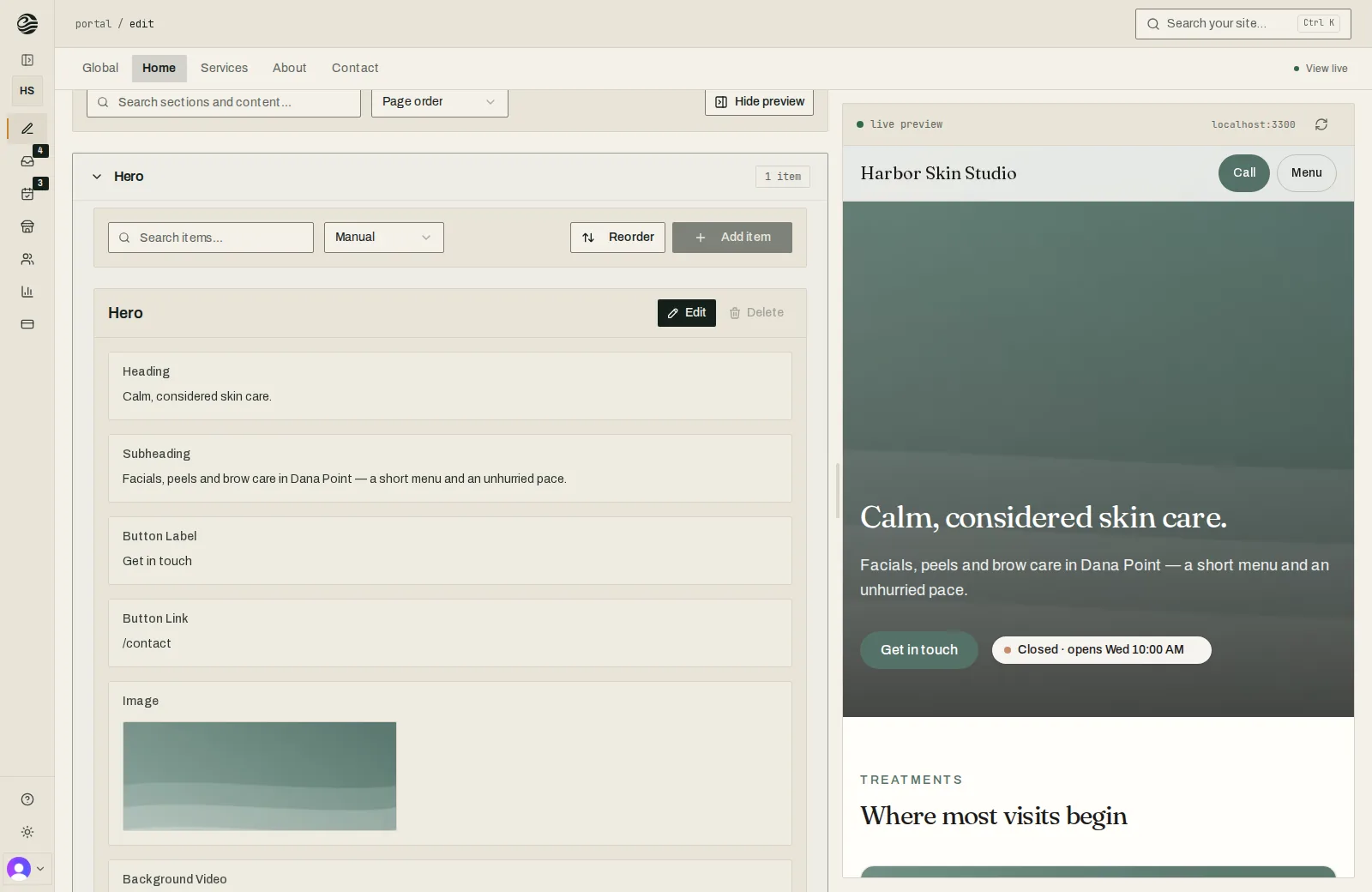
Fullgrain Portal editor: the Hero section's fields on the left and a live preview of the Harbor Skin Studio site on the right.
Who it's for
Every client we host
What it does
Content editing, a form inbox, bookings, a store whose payments land in the client's own account, traffic analytics, and billing
Built
Since May 2025, and still growing
Stack
Next.js, TypeScript, PostgreSQL
Who owns it
Fullgrain. Clients keep all rights to their content.

Why we built it

Small changes should not need a developer. Clients wanted to update a menu, swap a photo, or answer a message without sending an email and waiting, so we built them a place to do it.

What it does

Each client gets one dashboard for their site: edit text and images and see the change live, read and answer form messages, manage bookings, and sell through a store whose payments land in their own account.

app.fullgrainsoftware.com/dashboard
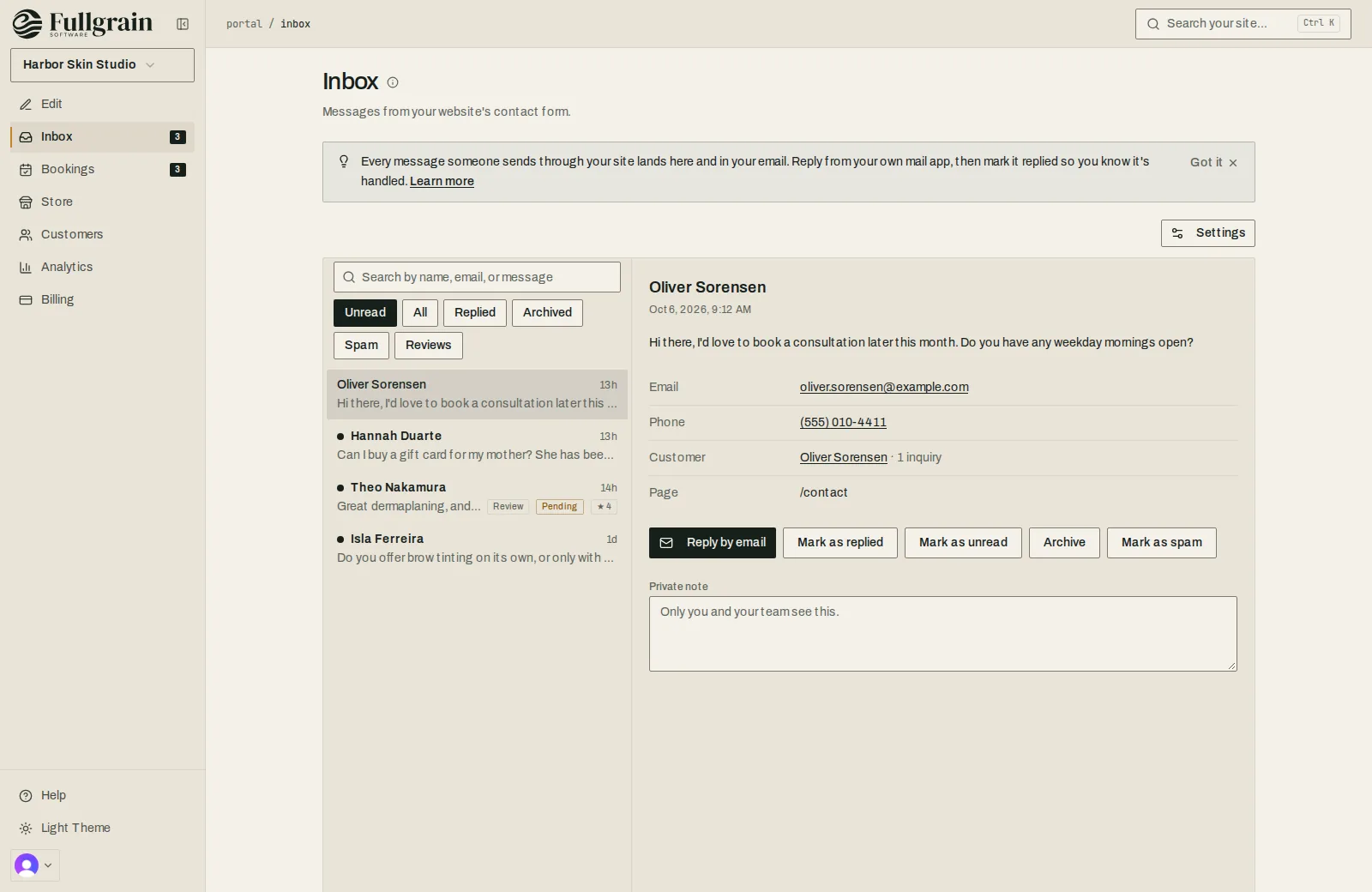
Fullgrain Portal inbox with a contact-form message open and options to reply by email, mark as replied, archive or mark as spam.
The inbox: every form message, answered from your own mail
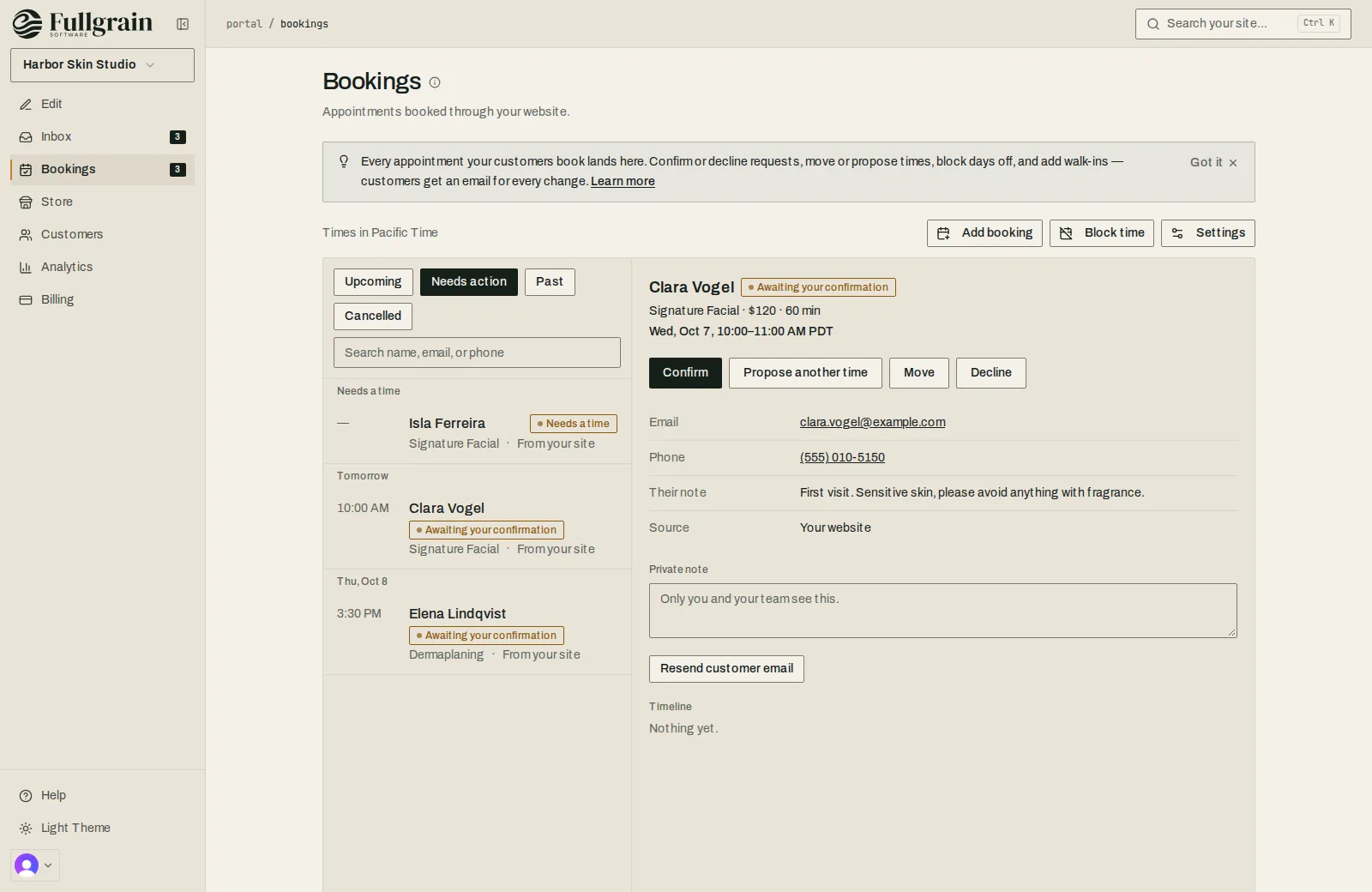
Fullgrain Portal bookings with an appointment awaiting confirmation and options to confirm, propose another time or decline.
Bookings: confirm, move or decline, and the customer gets an email
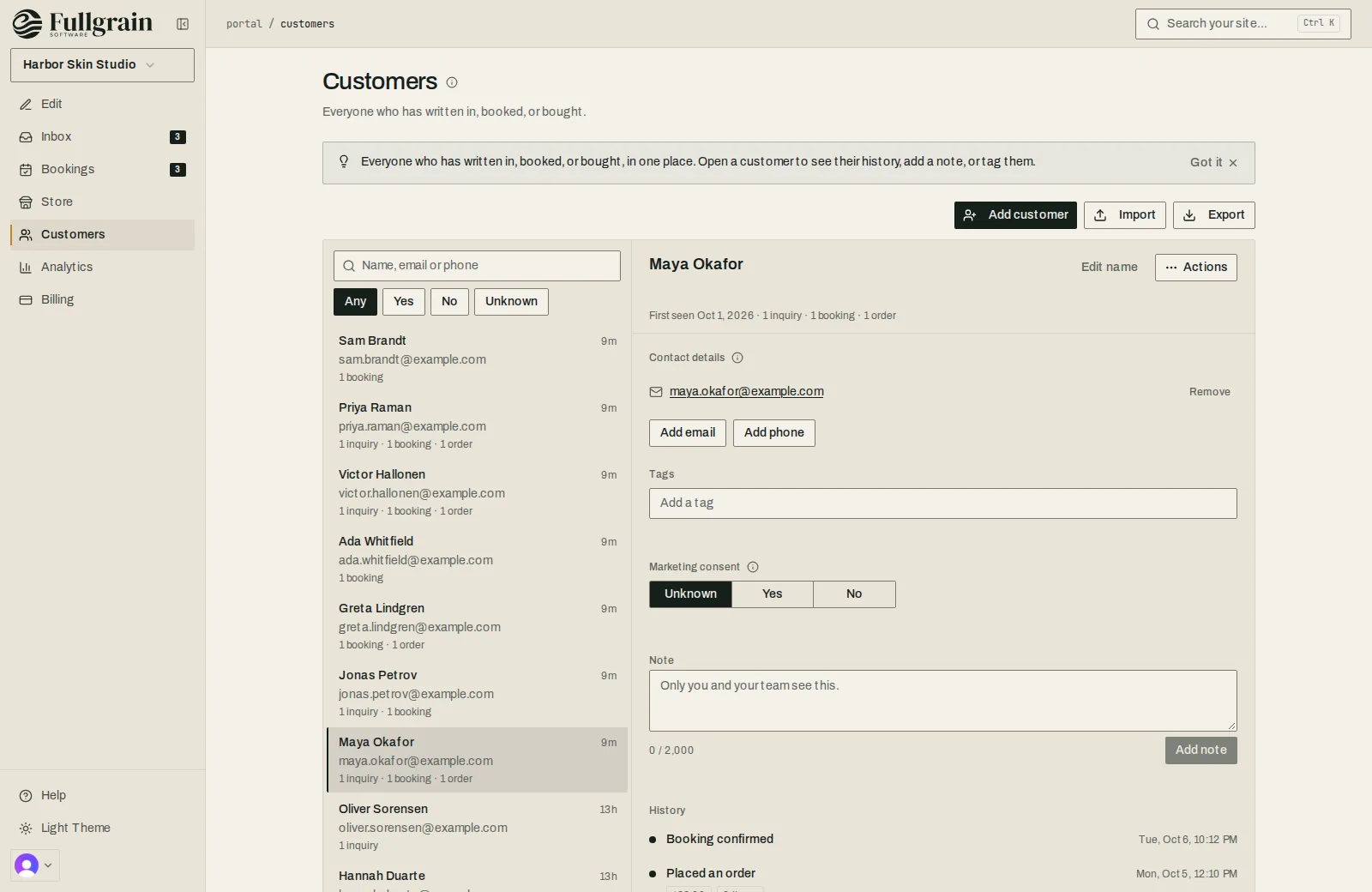
Fullgrain Portal customers: everyone who wrote in, booked or bought, with one customer's history open.
Customers, built from inquiries, bookings and orders
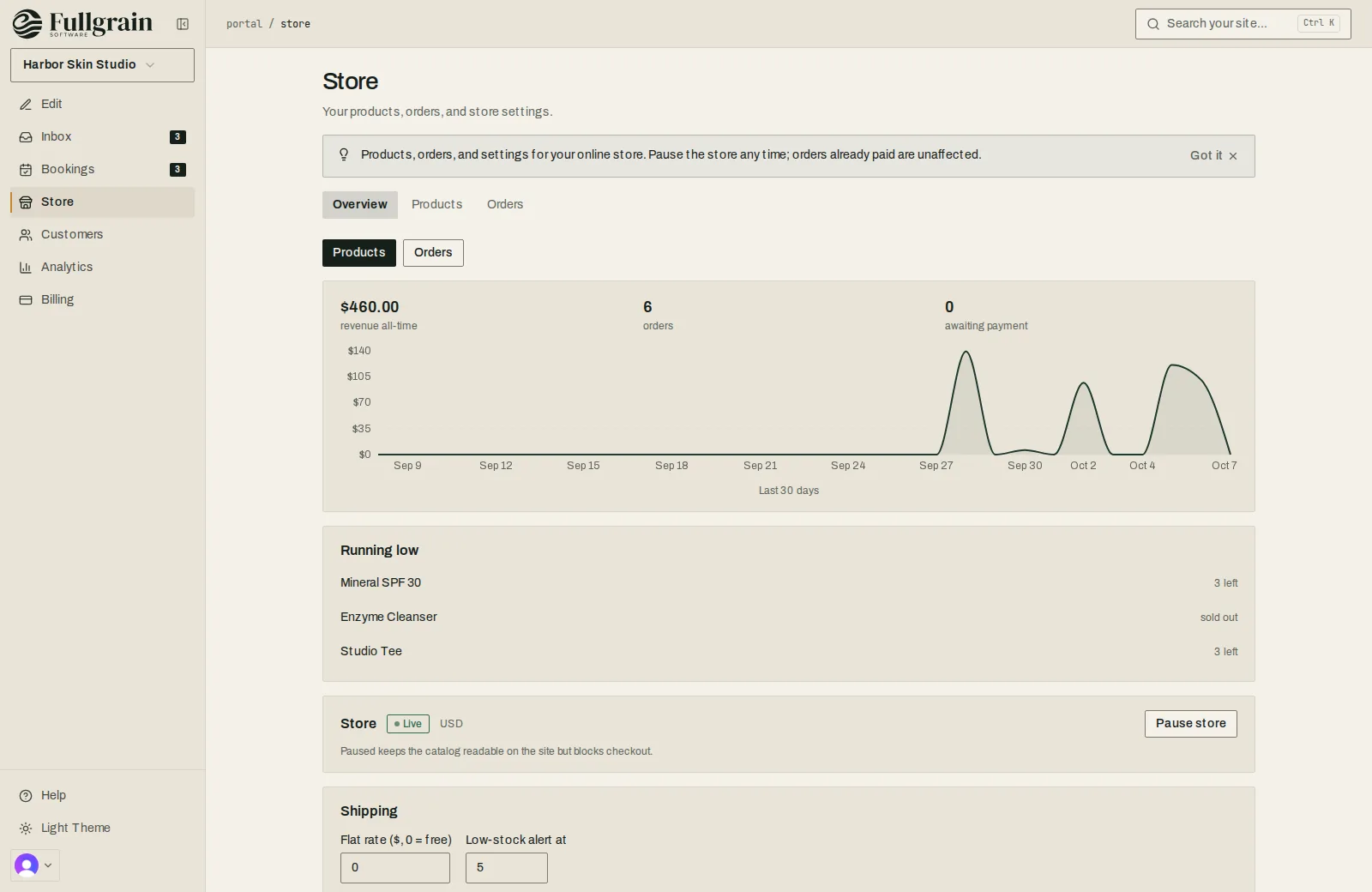
Fullgrain Portal store overview: sales over 30 days, order counts, products running low and the shipping rate.
The store at a glance: sales, orders, what's running low
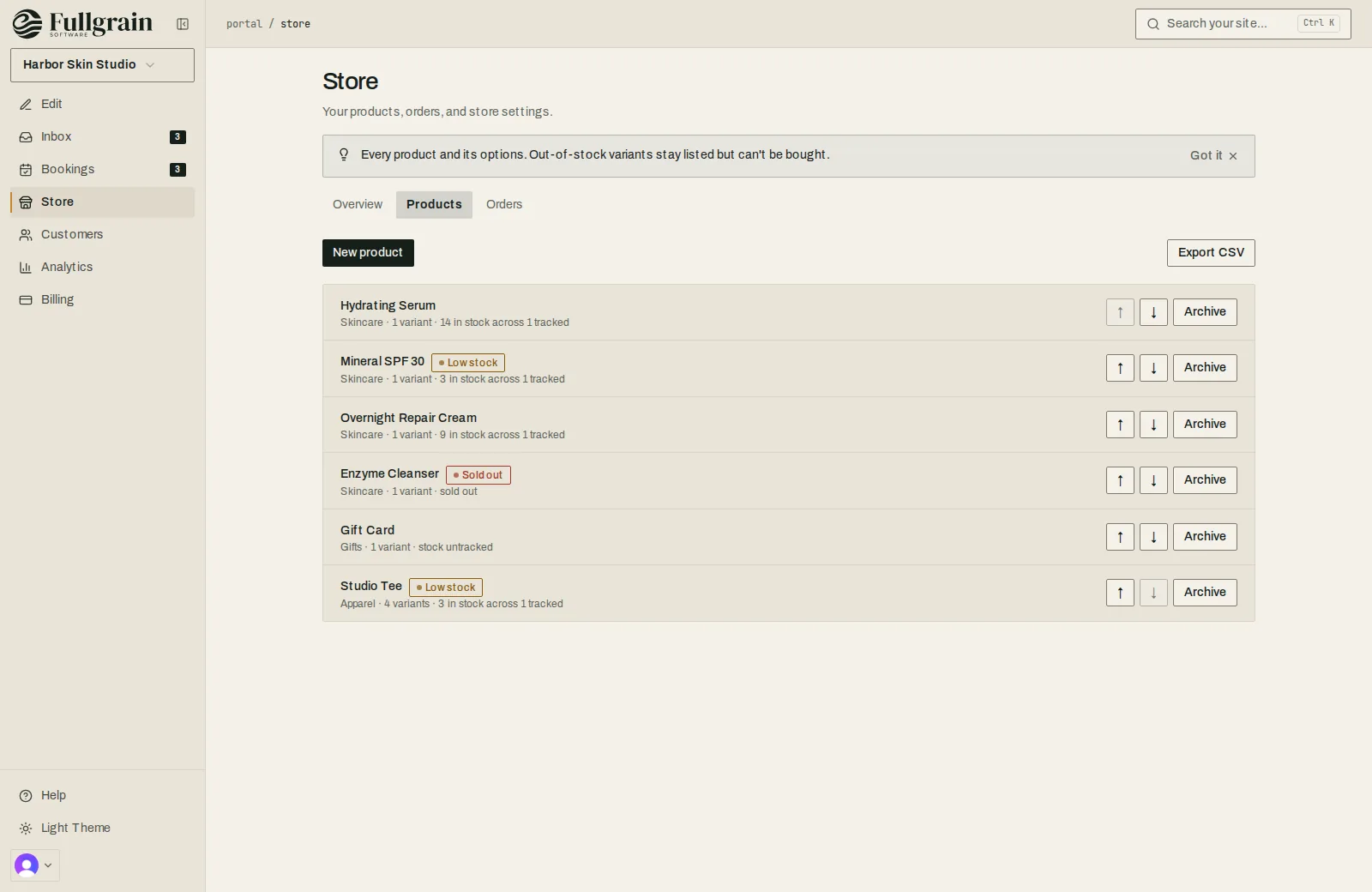
Fullgrain Portal products list with stock levels, low-stock and sold-out flags.
Products and stock
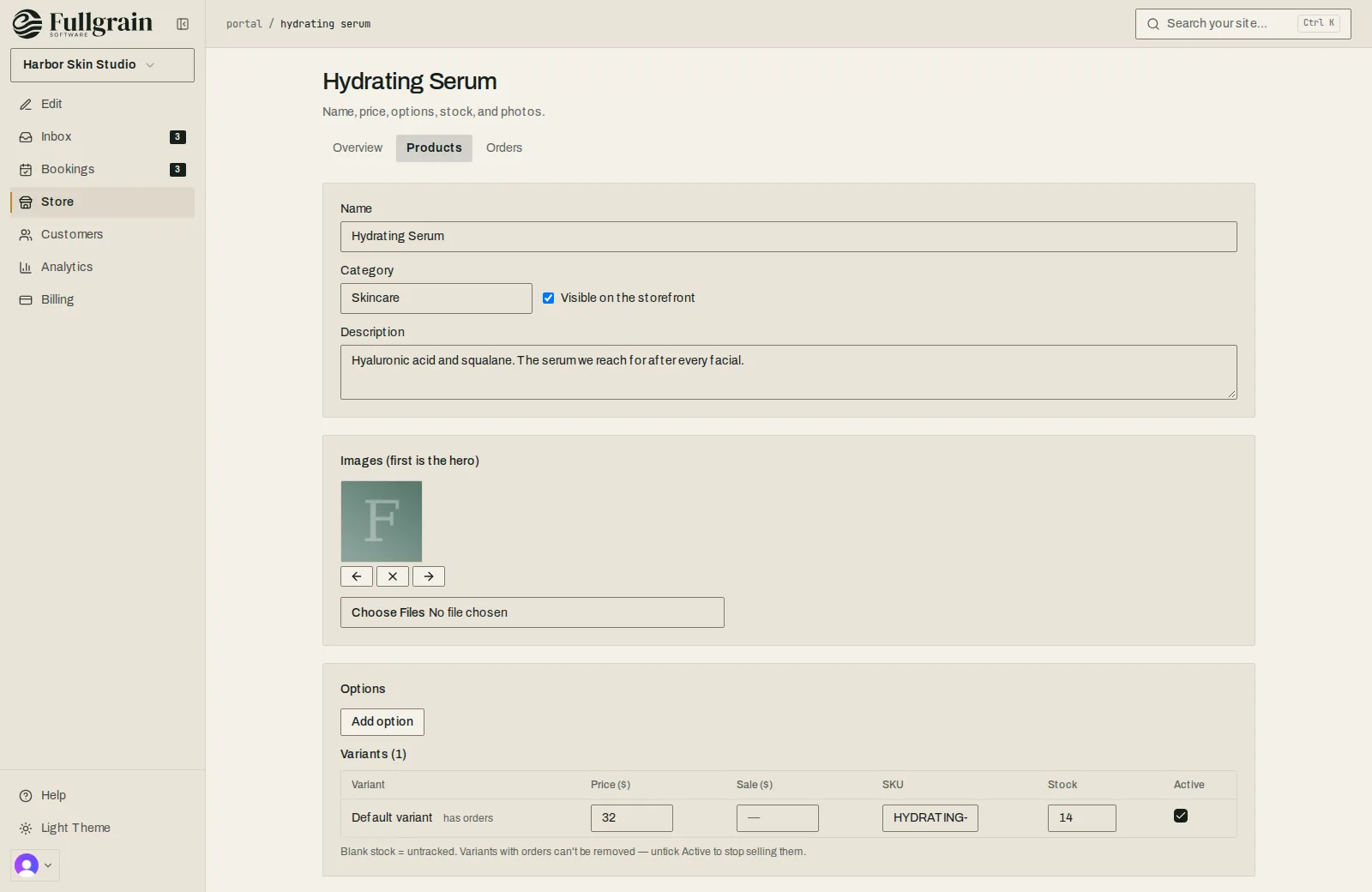
Editing a product in the Fullgrain Portal: name, category, description, photos, options and variants with price, SKU and stock.
A product: price, photos, options and stock
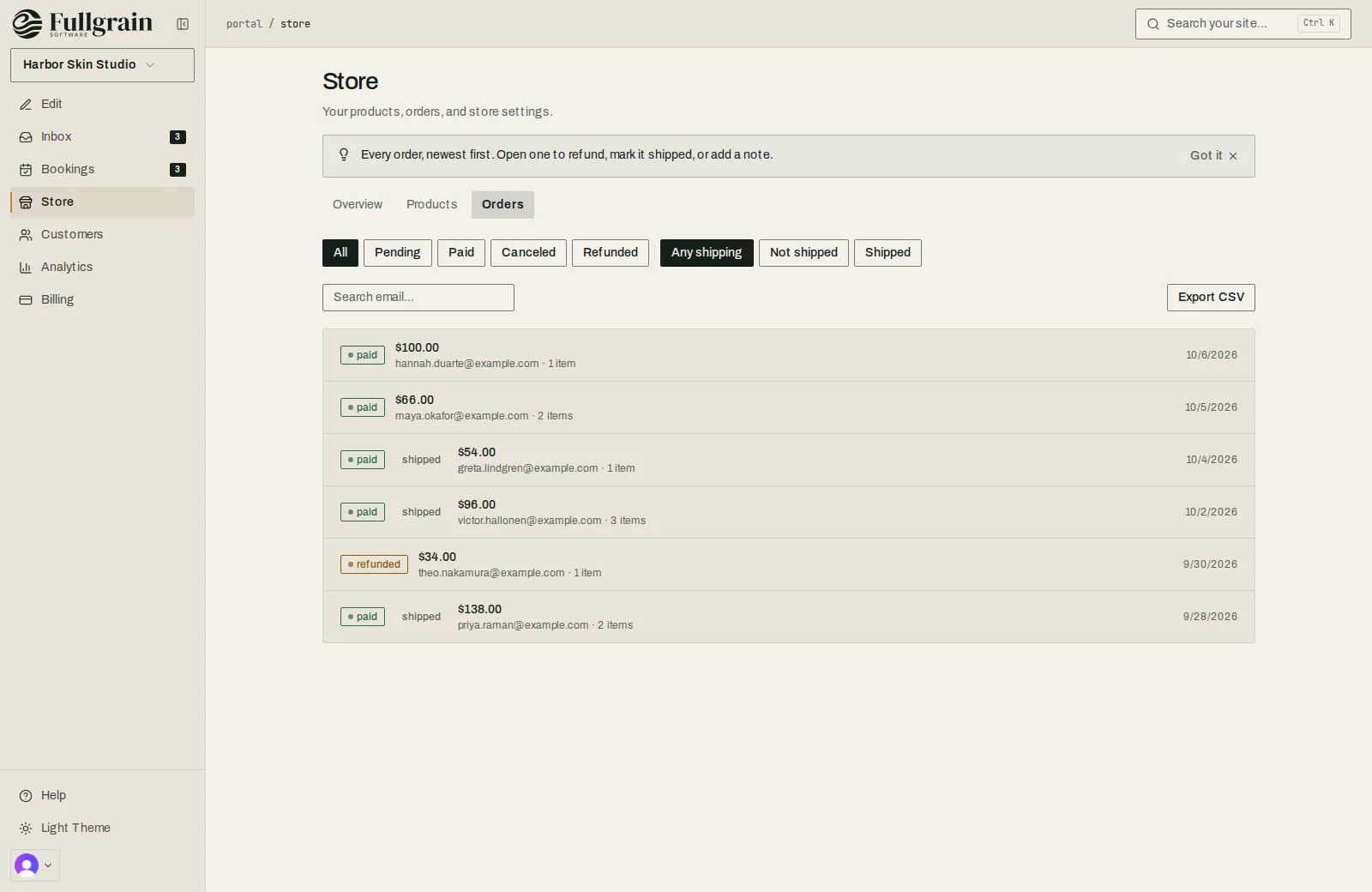
Fullgrain Portal orders list with paid, shipped and refunded orders.
Orders, newest first
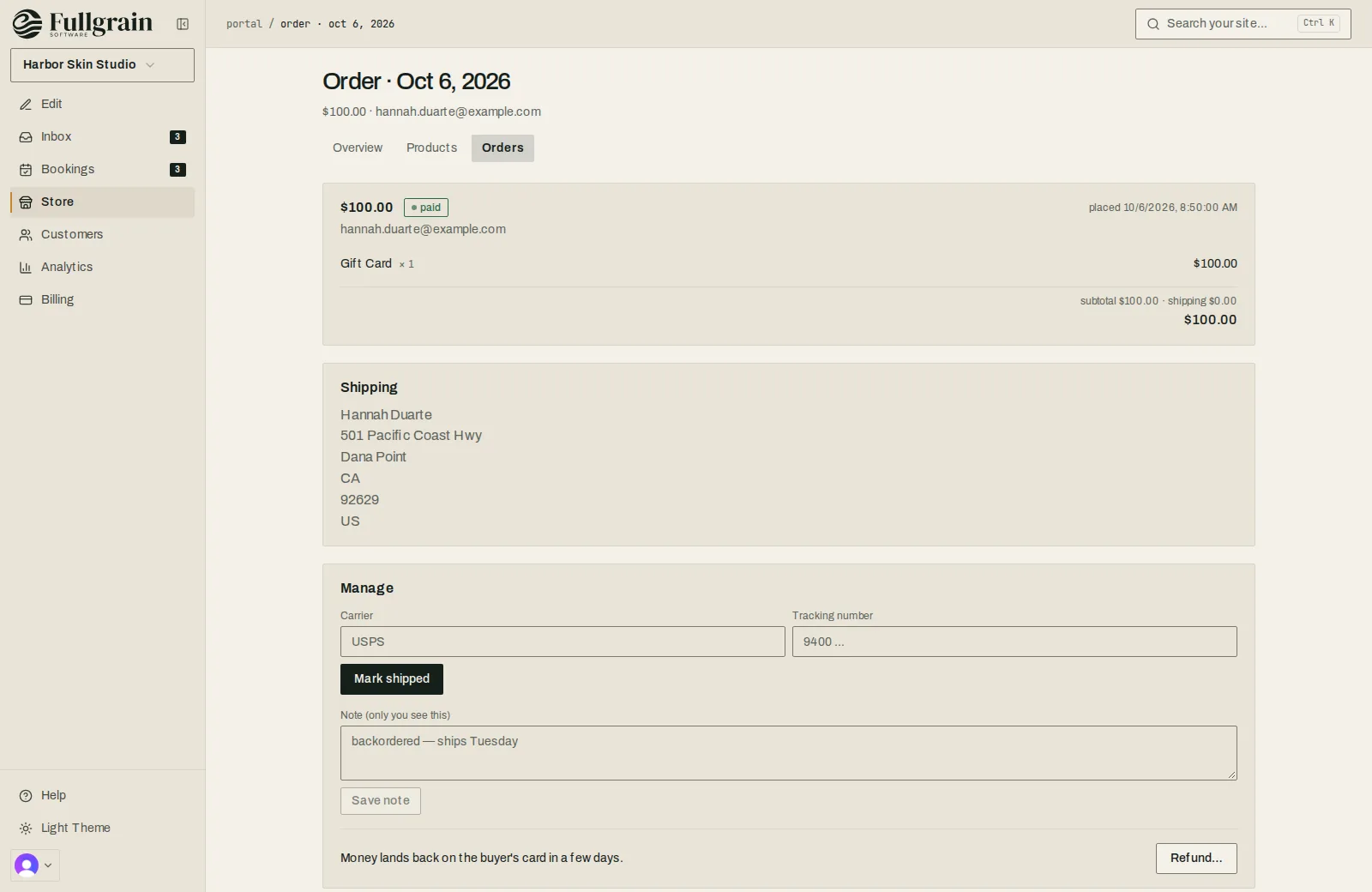
An order in the Fullgrain Portal: items, totals, the shipping address, a tracking number to add, a note and a refund button.
An order: mark it shipped, add tracking, or refund
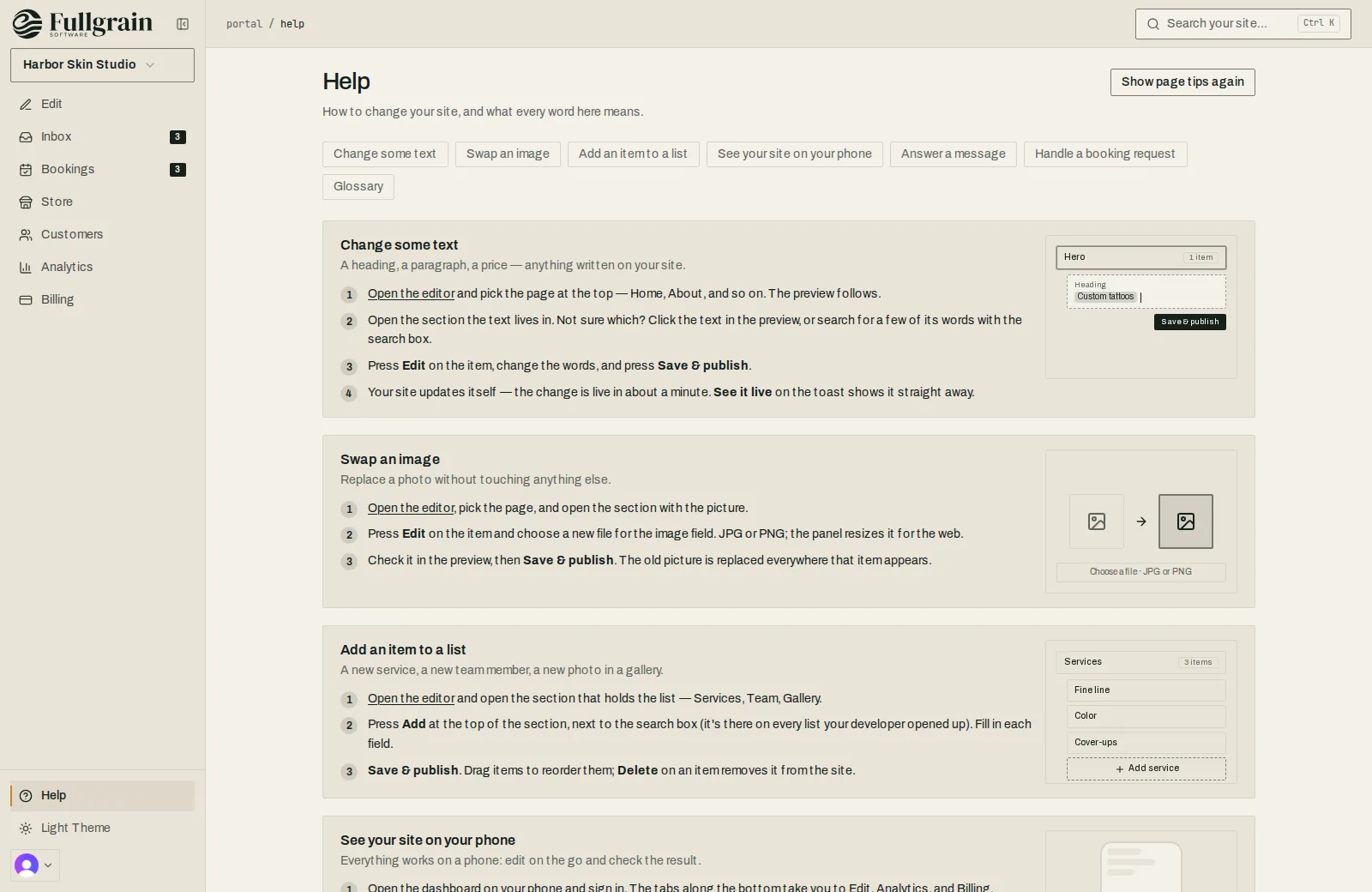
Fullgrain Portal help page with illustrated steps for changing text, swapping an image and adding an item to a list.
Help, written for the person running the business

Start with a scoping call.

Tell us what you run on today and what isn't working. Call or email and you'll get Alec.